

Build a resume that gets past the bots and into the hands
Pick a template, fill in your details, and watch your resume, cover letter, and ATS match score come together live — right in your browser.
Resume Builder
Free, no sign-up. Pick a template, fill in your details, download a PDF.
1. Choose a template
2. Photo (optional)
3. Your details
Summary
Experience
Education
Skills
Accent color
Cover Letter Builder
Matches the details from your resume automatically — edit anything below.
Your info
Recipient
Letter
ATS Score Checker
Compares your resume text against a job description and flags missing keywords.
1. Your resume text
2. Job description
3. Your results
Resume Builder, ATS Optimization, & Career Strategy
A resume is no longer just a piece of paper; it is a strategic marketing document designed to pass through complex algorithmic filters and persuade human hiring managers. This comprehensive guide covers everything from the mechanics of Applicant Tracking Systems (ATS) to the psychology of resume formatting.
What is a Resume Builder?
A Resume Builder is an online software application designed to help job seekers create professional, well-formatted, and ATS-friendly resumes in a matter of minutes. Instead of wrestling with Microsoft Word formatting, adjusting margins, or designing layouts from scratch, users simply input their information into predefined fields.
The Evolution of Resume Creation
In the past, job seekers relied on static templates downloaded from the internet. These templates often broke when content was added, leading to formatting disasters. Modern resume builders have revolutionized this process by separating the content from the design. You type your details into a form, and the software automatically generates a perfectly aligned, visually appealing document.
Furthermore, contemporary resume builders go far beyond basic formatting. They offer AI-powered writing assistance to help you rephrase weak bullet points, ATS score analysis to ensure your document passes automated filters, and keyword optimization tools that compare your resume against specific job descriptions. This ensures that candidates are not only creating visually appealing documents but are also optimizing their applications for today's highly digital hiring landscape.
Key Benefits of Using a Resume Builder
A well-crafted resume is your first impression on recruiters and hiring managers. Using a specialized tool to build it offers numerous advantages:
- Creates a strong first impression: A polished, modern design signals professionalism and attention to detail before a recruiter even reads a word.
- Highlights skills and achievements professionally: Built-in frameworks guide you to focus on accomplishments rather than just listing duties.
- Demonstrates qualifications clearly: Structured templates ensure your most relevant experience is immediately visible.
- Increases interview opportunities: ATS-optimized layouts ensure your resume actually reaches human eyes.
- Makes you stand out: In a sea of generic Word documents, a clean, architecturally sound resume captures attention.
- Saves significant time: Applying to multiple jobs becomes instantaneous when you can quickly swap out templates or tweak keywords.
- Reduces formatting errors: No more misaligned bullet points or text overflowing onto a second page.
- Improves credibility: A structured, error-free document subconsciously builds trust with hiring managers.
What is an ATS (Applicant Tracking System)?
An Applicant Tracking System (ATS) is recruitment software used by over 90% of Fortune 500 companies and a rapidly growing percentage of small to medium-sized businesses. It is designed to collect, organize, search, and filter thousands of job applications automatically.
The Core Function of an ATS
Instead of manually reviewing every single resume that comes in—which is impossible for high-volume roles—recruiters use an ATS to automatically scan resumes and shortlist candidates based on predefined criteria. The system parses the text of your resume, extracts data (like skills, job titles, and education), and places it into a searchable database.
How ATS Algorithms Filter Candidates
Recruiters input specific boolean searches or filters (e.g., "Project Manager" AND "Agile" AND "SaaS"). The ATS ranks candidates based on how closely their parsed resume matches these parameters. If your resume lacks the exact keywords or is formatted in a way the parser cannot read, you will be ranked low or automatically rejected.
What the ATS Looks For
To successfully navigate an ATS, your resume must contain the right elements in a format the software can digest. The system looks for:
- Relevant Keywords: Specific software names, hard skills, soft skills, and industry terminology found in the job description.
- Job Titles: Standardized job titles that match the role you are applying for.
- Work Experience: Clearly defined date ranges, company names, and bulleted achievements.
- Education & Certifications: Degrees, institutions, and specific certification acronyms.
- Standard Section Headings: The parser expects to see headings like "Work Experience," "Education," and "Skills." Creative headings like "My Journey" will confuse the system.
- Simple Formatting: Single-column layouts, standard fonts, and no complex tables or text boxes.
What is an ATS Score?
An ATS Score is a percentage or rating generated by resume tools to estimate how well your resume is optimized for Applicant Tracking Systems. It evaluates the compatibility of your document against best practices and specific job descriptions.
Typical ATS Scoring Criteria
Different resume platforms use proprietary algorithms, but most evaluate the following core pillars:
- Keyword Relevance: Does your resume contain the exact phrases used in the job posting?
- Resume Formatting: Are you using standard fonts, bullet points, and avoidable parsing traps?
- Skills Matching: Are your listed skills directly mapped to the requirements of the role?
- Job Description Alignment: Does your experience contextually match the responsibilities of the new role?
- Readability: Is the language clear, concise, and free of jargon that might confuse the parser?
- Contact Information: Is your email, phone, and location easily extractable at the top of the document?
- File Compatibility: Is the file format (usually PDF or DOCX) structured correctly?
Understanding the Score Scale
While every tool is different, a standard ATS score breakdown looks like this:
| Score Range | Rating | What it Means |
|---|---|---|
| 90–100% | Excellent | Highly optimized. Very likely to pass automated screening and rank at the top of recruiter lists. |
| 80–89% | Very Good | Strong match. Minor tweaks to keywords or formatting may be needed, but generally safe to submit. |
| 70–79% | Good | Passable, but risks being outranked by other candidates. Needs keyword optimization. |
| Below 70% | Needs Work | High risk of automatic rejection. Missing critical keywords or major formatting issues. |
Note: Recruiters generally do not see a universal ATS score. This is a metric provided by resume tools to help you gauge your readiness.
Benefits of a High ATS Score
Achieving a high score means you have successfully aligned your document with both the algorithm and the recruiter's search habits. Advantages include:
- Better visibility in recruiter database searches.
- A drastically increased chance of passing the initial automated screening phase.
- Improved keyword relevance, making it obvious to human readers that you are qualified.
- Reduced formatting issues that could cause your application to be lost or corrupted.
- Higher interview opportunities and a more efficient job application process overall.
Why You Should Use ATS Score Analysis
Checking your ATS score before applying helps identify hidden weaknesses in your resume. Rather than submitting the same generic document for every application, ATS analysis encourages you to customize your resume based on each specific job description. It helps you detect missing keywords, identify formatting problems, improve readability, and optimize your skills section to align perfectly with employer requirements.
How To Use This Resume Builder
Three tools, same simple flow: fill in your info, see it update live, download when it looks right.
Pick A Tool And Template
Choose Resume Builder, Cover Letter, or the ATS Checker from the tabs above. For resumes, pick one of the templates. You can switch between them anytime without losing your typed information.
Fill In Your Details
Type your details into the form on the left. The preview on the right updates instantly, allowing you to see exactly what you're building and ensuring your formatting looks flawless.
Download Your PDF
One click creates a clean, multi-page-safe PDF, generated entirely right in your browser. Nothing is uploaded or stored on a server—it's yours and perfectly private the moment you click.
Who It's For
Built for anyone job hunting — no experience with design or formatting tools required.
First-Time Job Seekers
Students and new grads who need a clean, professional resume fast. Focus on education and projects without worrying about design skills.
Career Changers
People switching industries who need a functional layout that highlights transferable skills clearly over chronological work history.
Freelancers & Consultants
Anyone applying to contract roles or pitching clients who needs a quick, polished one-pager to showcase specific project successes.
Experienced Pros
Use a compact template to fit a longer work history on one page, and the ATS Checker to tailor it meticulously per role.
Types of Resumes & When to Use Them
Choosing the right resume format is critical. It dictates how the ATS parses your information and how quickly a recruiter understands your value. Your choice should depend on your experience level, career goals, and employment history.
1. Chronological Resume
Best for: Experienced professionals with steady career growth.
This is the most widely used and ATS-friendly format. It lists work experience in reverse chronological order. It highlights career progression and is universally preferred by recruiters because it is easy to scan.
2. Functional Resume
Best for: Freshers, career changers, people with employment gaps.
Focuses on skills and abilities rather than work history. It minimizes employment gaps and highlights transferable abilities. Note: Some ATS software struggles to parse purely functional resumes.
3. Combination (Hybrid)
Best for: Professionals with strong skills and relevant experience.
Combines the strengths of both. It highlights key skills first, followed by a detailed (but usually shorter) chronological work history. Offers a balanced presentation of qualifications.
4. Targeted Resume
Best for: Competitive job applications, specialized roles, ATS optimization.
Highly customized for a specific job opening. It includes tailored keywords, relevant achievements, and job-specific skills. It takes more time to create but offers much better ATS compatibility.
5. Fresher Resume
Best for: Students, recent graduates, entry-level job seekers.
Designed for candidates with little professional experience. Focus areas include resume objectives, education, academic projects, technical skills, internships, and extracurricular activities.
Resume Writing Best Practices
Beyond choosing a format, the actual language and structure of your bullet points determine your success. Follow these rules to write a compelling resume.
1. Use the XYZ Formula for Achievements
Google famously popularized the XYZ formula for resumes: "Accomplished [X] as measured by [Y], by doing [Z]." Instead of writing a duty like "Managed social media," write: "Grew Instagram following by 40% (X) in six months (Y) by implementing a data-driven influencer collaboration strategy (Z)." This proves your value quantitatively.
2. Choose Power Verbs over Passive Language
Never start a bullet point with "Responsible for" or "Helped with." These words dilute your impact. Use strong action verbs that imply ownership and execution:
- Instead of "Helped": Collaborated, Facilitated, Partnered, Co-authored.
- Instead of "Did": Executed, Delivered, Implemented, Produced.
- Instead of "Made": Designed, Built, Engineered, Formulated.
- Instead of "Changed": Optimized, Overhauled, Streamlined, Restructured.
3. Keep Formatting Clean and Predictable
While visual resumes are popular for creative fields, ATS software hates complex formatting. Stick to a single-column layout. Use standard fonts like Arial, Calibri, or Helvetica at 10.5pt to 12pt. Use bolding and italics sparingly to guide the reader's eye, but avoid underlining, which can interfere with hyperlink parsing.
4. Tailor Every Single Application
Sending the same resume to 100 jobs is less effective than sending a tailored resume to 10 jobs. Read the job description, highlight the core skills required, and ensure those exact phrases appear in your summary and experience sections. If the job asks for "Agile Project Management," make sure those three words are in your resume.
5. Optimize the Top Third
Recruiters spend an average of 6 to 7 seconds scanning a resume. The top third of your document is prime real estate. Ensure your name, title, contact info, and a strong professional summary are immediately visible. This summary should be a 3-4 sentence elevator pitch of your most impressive achievements and core competencies.
Frequently Asked Questions
Everything you need to know about resume building, ATS scores, formatting, and job application strategy.
- Chronological: Best for experienced professionals with steady growth.
- Functional: Best for freshers or career changers focusing on skills over history.
- Combination: Best for those with strong skills and solid experience.
- Targeted: Best for specific, competitive job applications requiring heavy customization.
- Contact Information (Name, Email, Phone, LinkedIn/Portfolio URL)
- Professional Summary (3-4 sentences highlighting your value)
- Work Experience (Job title, Company, Dates, Bulleted Achievements)
- Education (Degree, Institution, Graduation Date)
- Skills (Hard and soft skills relevant to the job)
- Spelling and grammatical errors (proofread multiple times!).
- Using a tiny font (under 10pt) to fit more text.
- Listing duties instead of achievements.
- Including irrelevant work experience from 15+ years ago.
- Using an unprofessional email address.
- Missing exact keywords from the job description.
Latest insights and updates on technology trends and innovations
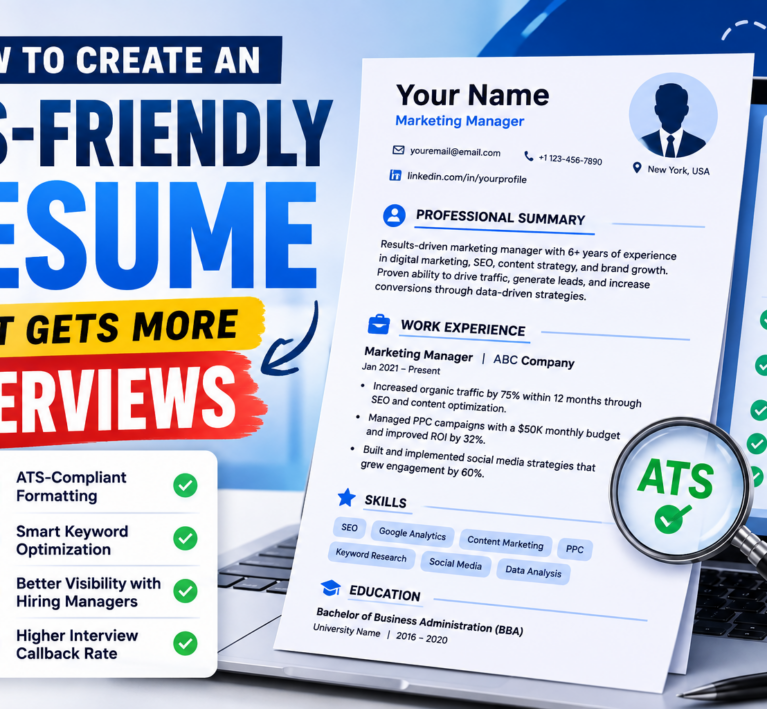
How to Create an ATS-Friendly Resume That Gets More Interviews

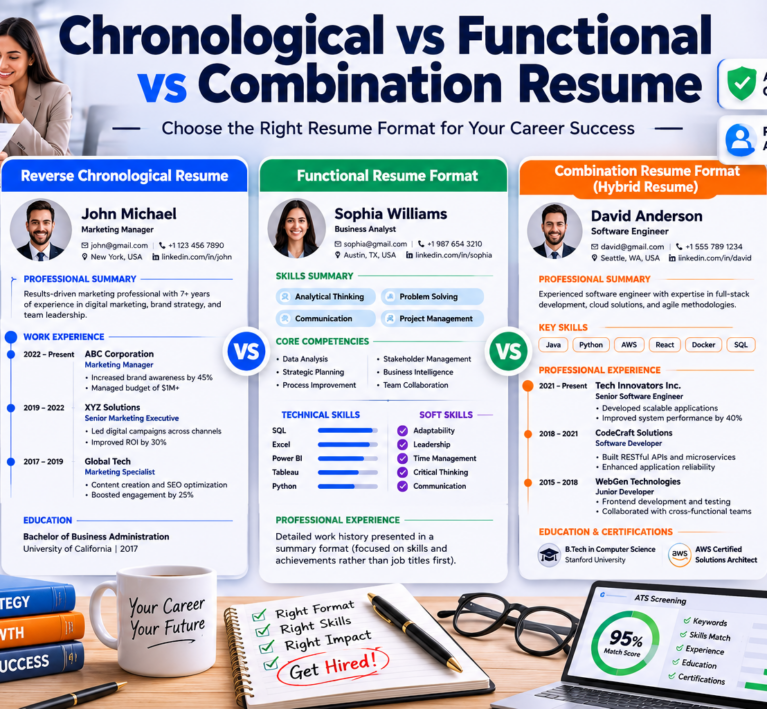
Chronological vs Functional vs Combination Resume: Which Resume Format Is Best for Your Career?